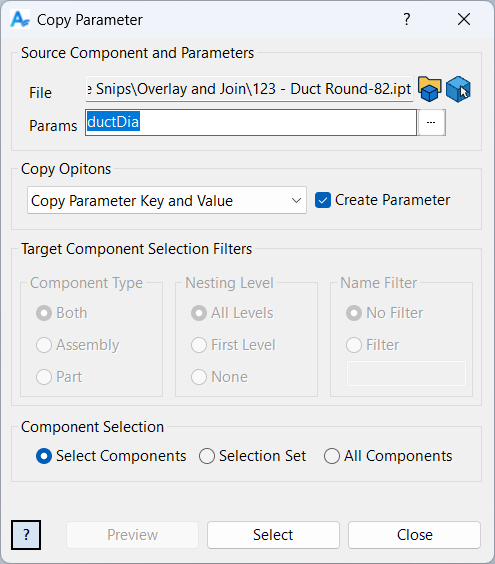
Copy Parameter
Overview
Copy Parameter is a powerful tool for managing and synchronizing parameters across multiple components in an Inventor assembly. Parameters are essential for controlling component behavior, geometry, and custom properties, and keeping them consistent is critical for large assemblies and automated workflows. This command allows you to select a source component and copy one or more parameters to other components, ensuring that values, keys, or both are transferred accurately. You can also create missing parameters in target components, making it easy to standardize parameter sets across your project. The dialog provides flexible selection and filtering options, so you can target only the components and parameters you need. Copy Parameter supports batch operations, advanced selection via Filtered Select, and handles type mismatches gracefully by skipping incompatible parameters. This command is ideal for updating design standards, propagating key values, or automating repetitive parameter management tasks in complex assemblies.
Samples
Sample files are located in C:\ProgramData\Autodesk\ApplicationPlugins\ArpaFlow.AssemblyTools.Core.Bundle\Samples. See Samples Summary